The inspiration #
I came across a Chrome extension called “Help Me Bevo” that plays the University of Texas mascot animation when you submit an assignment. As a Penn State student I couldn’t let that stand, so “Help Me Nittany Lion” was born.
Learning the ropes #
I had zero experience with Chrome extensions going in. I cloned the “Help Me Bevo” repo and started picking apart the code, which was plain JavaScript using event listeners to catch assignment submissions. After a few hours of trial, error, and Googling, I had a custom PSU animation firing on Canvas submissions.
Making it my own #
Once the basics worked, I started adding my own touches:
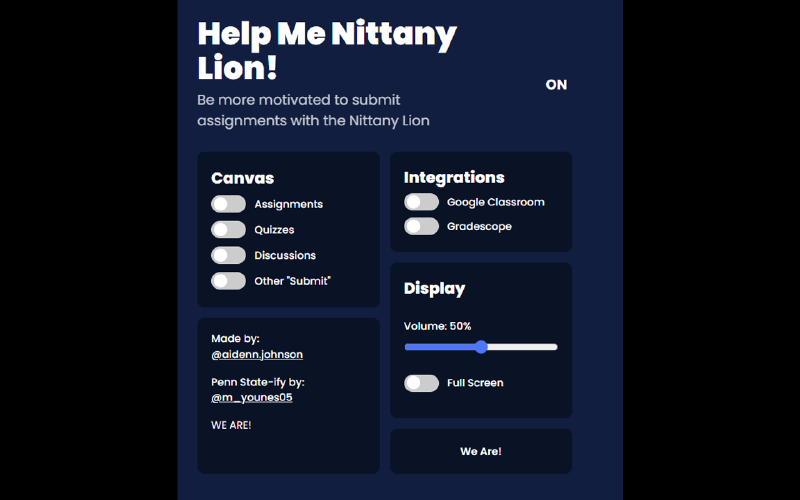
- Color: switched the extension’s palette to Penn State’s colors so it actually felt like it belonged.
- Quotes: the extension’s settings page now shows a random PSU quote at the bottom, like “WE ARE!”
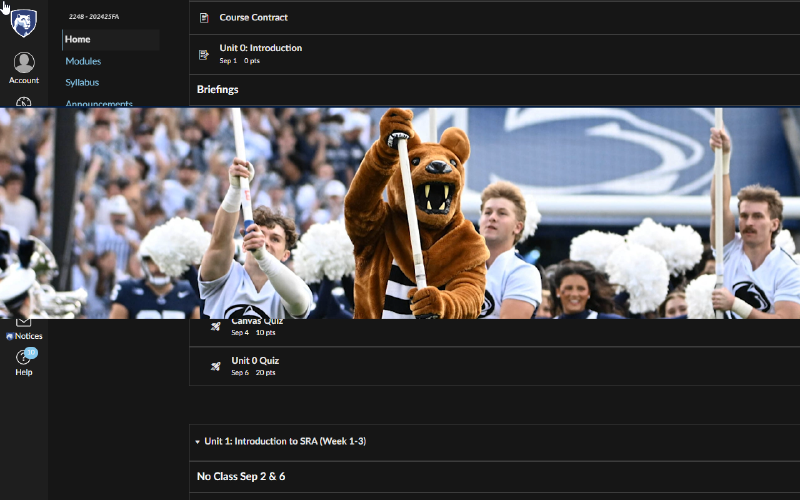
- Animation: there’s no official PSU animation to rip, so I pieced one together from images and quotes that feel like home.
Publishing the extension #
Getting it onto the Chrome Web Store took longer than I expected. Google’s review process wanted a real privacy policy and a full permissions breakdown, and it took a few rounds of revisions before it got approved. Then “Help Me Nittany Lion” went live.
You can grab it on the Chrome Web Store and install it in a click.
Open source #
The whole thing is open source, so anyone can fork it and swap in their own school’s mascot. Code’s on GitHub.
Thanks to Aiden Johnson from UT for the original source and the idea.
What started as a way to kill an afternoon turned into a real crash course in Chrome extension development. If you’re at Penn State, give it a shot.
Happy submitting, and WE ARE!